
StrengthBuzz is reader-supported. When you buy through links on our site, we may earn an affiliate commission at no extra cost to you. Read our Disclosure
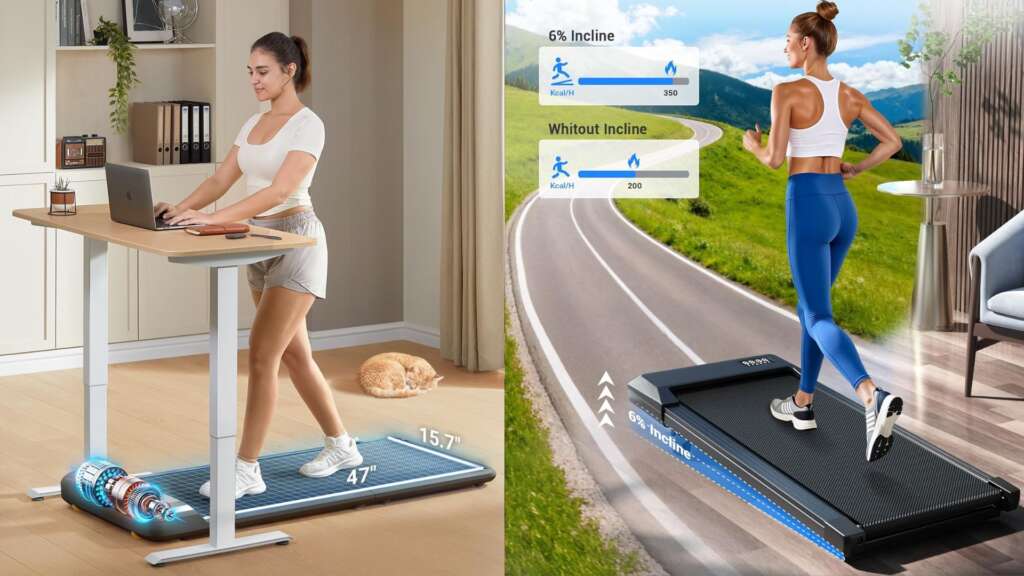
If you work from home, you already know the problem. You sit down at 9 AM to answer emails. You look up and it’s 3 PM. Your step count says 400 steps. Your back aches. Your energy is gone. The best walking pad under desk treadmill solves this without changing your schedule. Walk at 1.5–2 MPH during meetings, emails, and deep work sessions. Accumulate 8,000–10,000 steps during a standard workday without a single dedicated workout session.
But here is what most roundup articles get wrong: they review walking pads as fitness equipment. Under desk use is a completely different situation. It demands a machine quiet enough for video calls, stable enough to type accurately, compact enough to store daily, and powerful enough to handle sessions of 2–3 hours. Most budget machines are designed for 20–30 minute fitness sessions; not the extended daily use that working from home actually requires.
At StrengthBuzz, we analyzed hundreds of verified buyer reviews from actual WFH users, cross-referenced with Trustpilot data, Reddit community reports from r/WorkFromHome and r/homegym, and manufacturer specifications to find what genuinely works in a home office environment. Unlike walking pads built specifically for heavier users, under desk machines are optimized for sustained low-speed sessions rather than raw weight capacity and that changes everything about how you evaluate them.
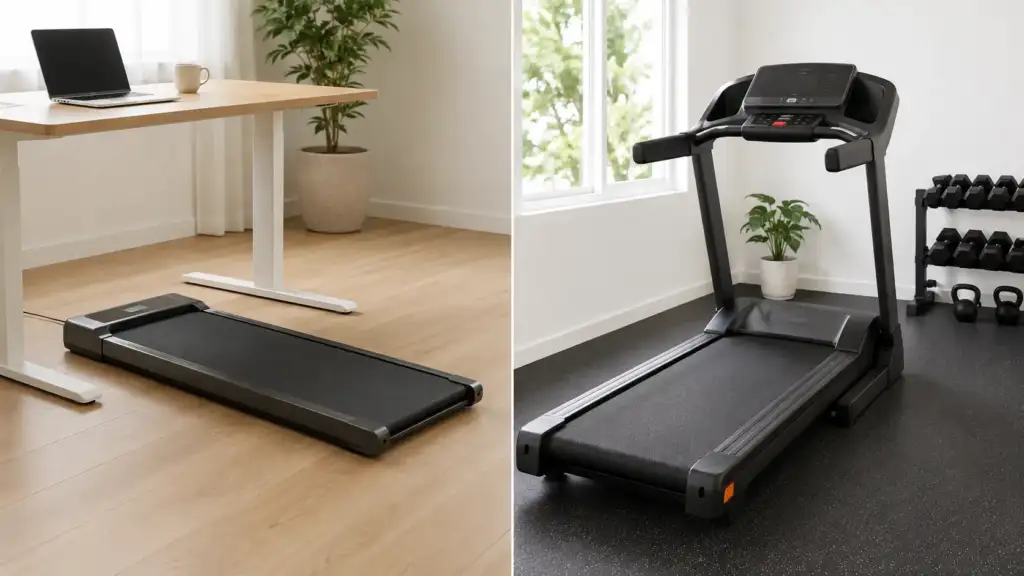
If you are still weighing a walking pad against a traditional treadmill before committing to this category, the differences in speed, noise, and daily use design go further than most buyers expect.
Best Walking Pad Under Desk Treadmill: Quick Comparison (2026)
| Category | Product | Product Images | Noise | Motor | Capacity | Incline | Best For |
|---|---|---|---|---|---|---|---|
| 🏆 Best Overall | Walking Pad C2 | 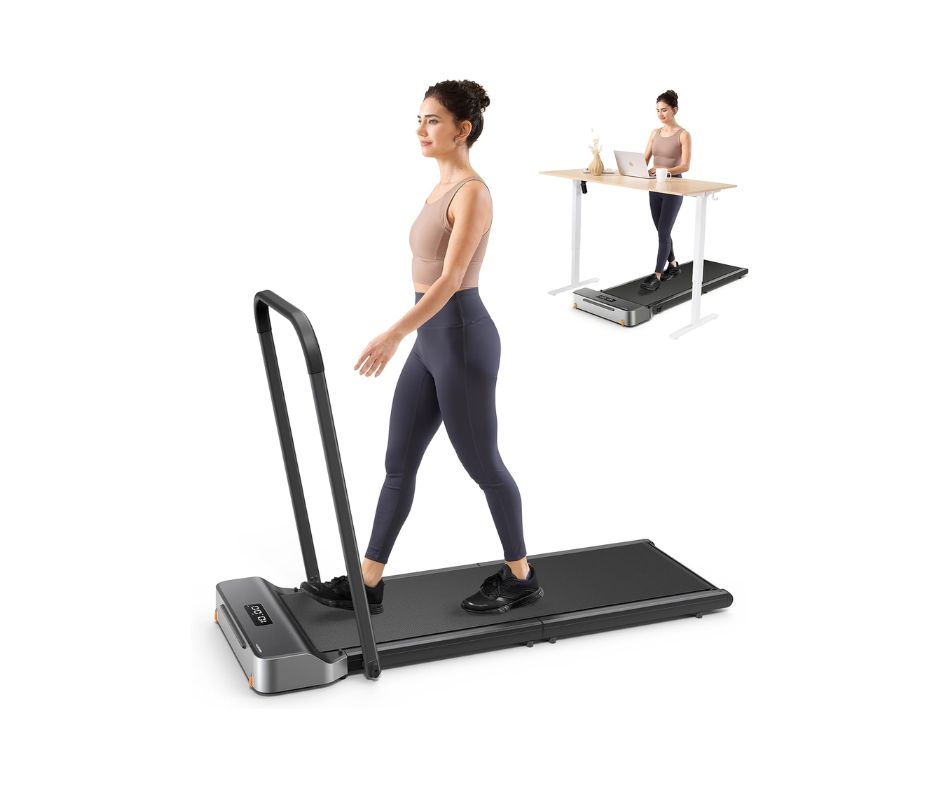 | <65dB | Brushless | 300 lbs | None | Fold-flat storage |
| 🔥 Best Heavy Use | TRAILVIBER | 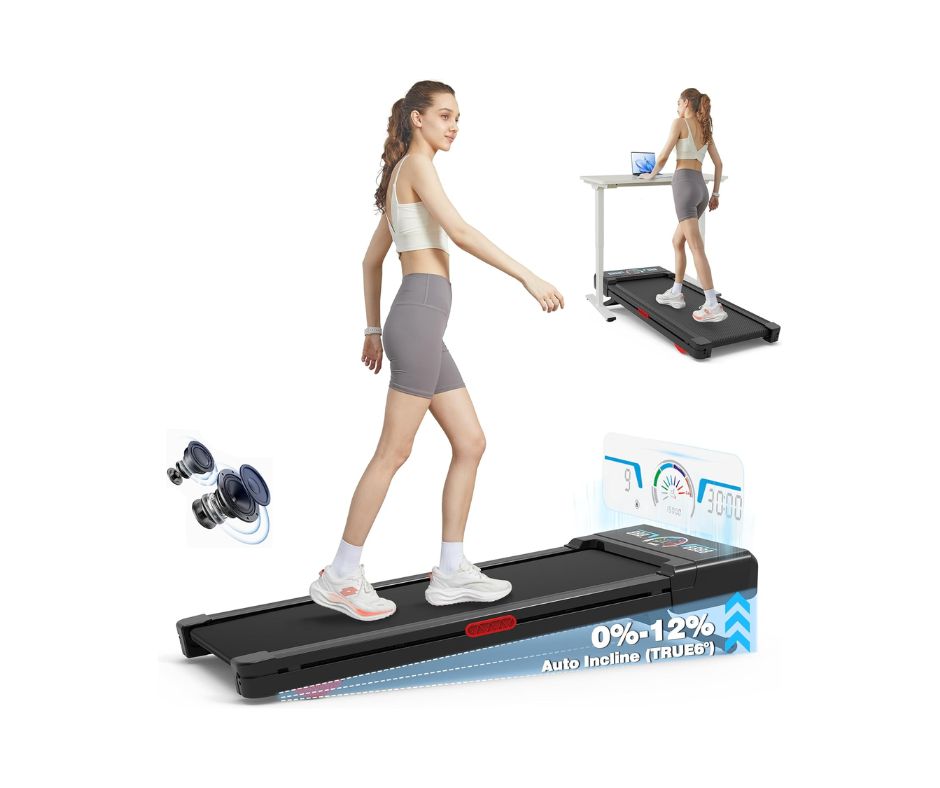 | <45dB | 2.5HP | 450 lbs | 12% Auto | Heavy users, incline |
| 🔇 Quietest Motor | PACEROCKER | 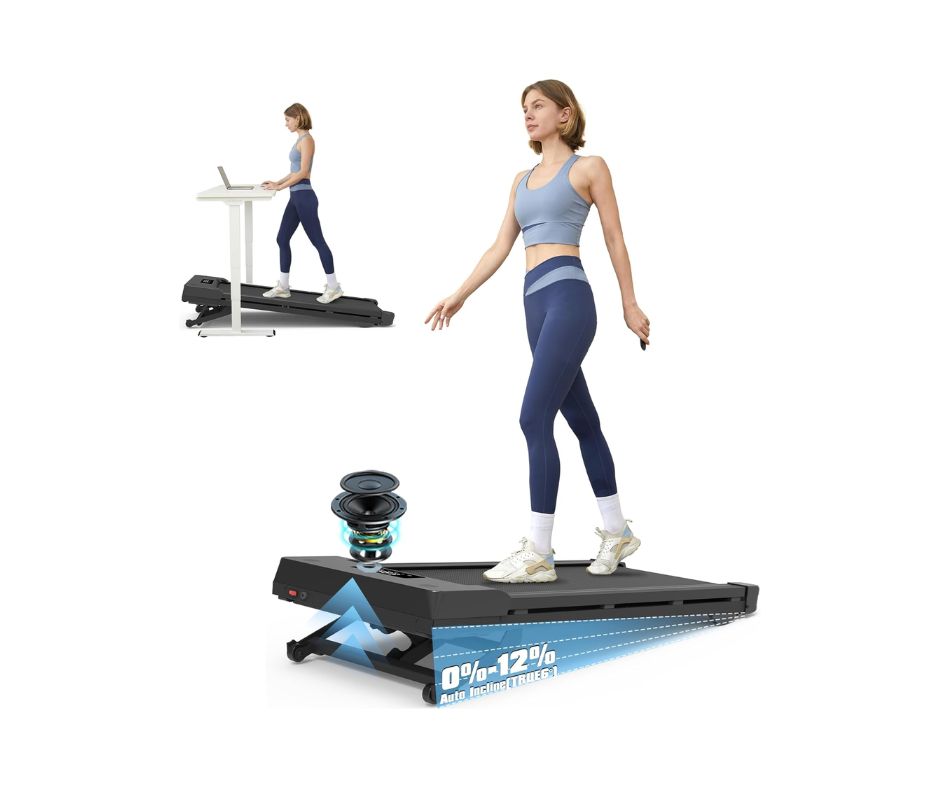 | <40dB | 2.5HP | 450 lbs | 9% Auto | Noise-sensitive setups |
| 📱 Best App | Yesoul W2 Pro | 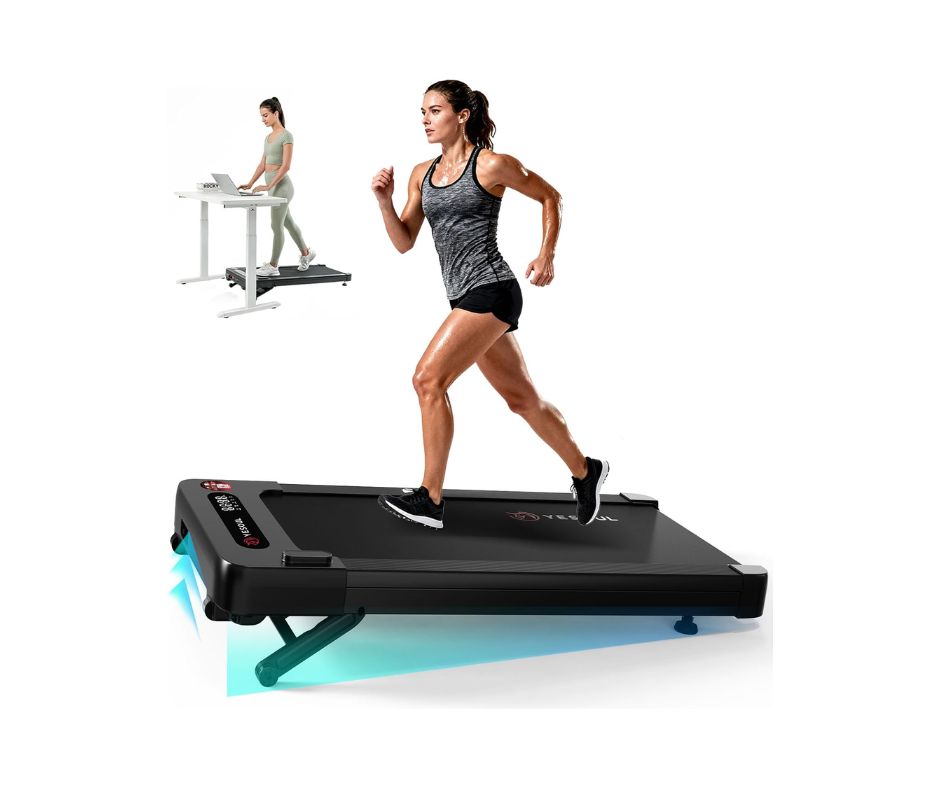 | Quiet | 2.5HP | 300 lbs | 10% Auto | Data-driven WFH users |
| 💰 Budget Pick | Acezoe | 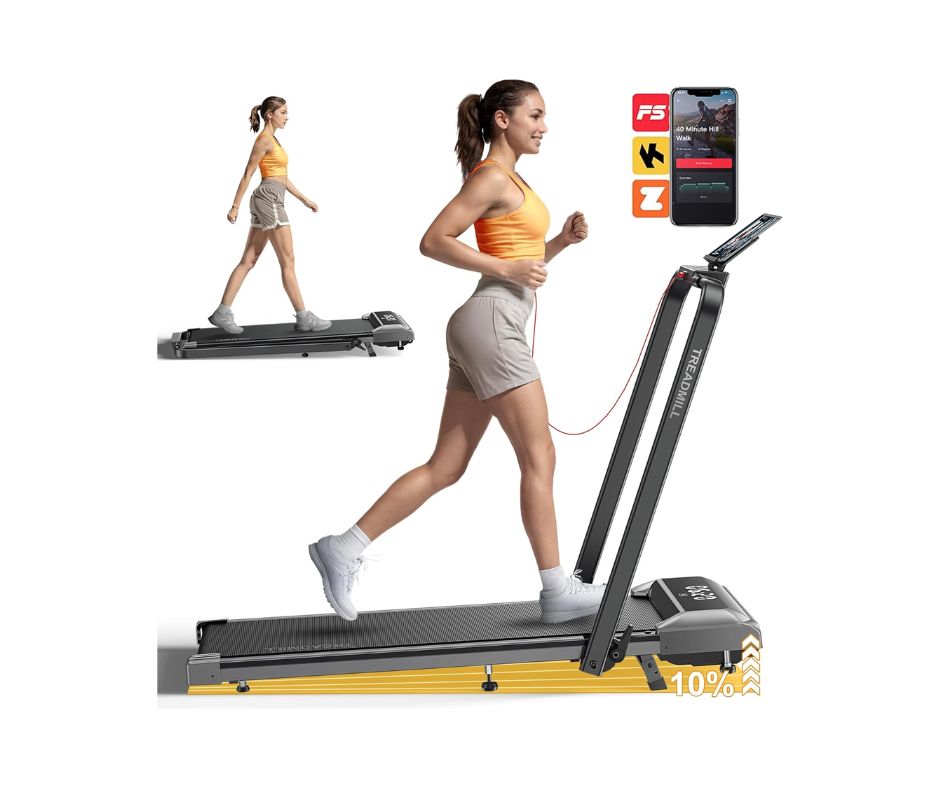 | <50dB | 2.5HP | 300 lbs | 10% Manual | Light budget use |
What Makes a Good Walking Pad Under Desk Treadmill? Our Research Criteria
Before getting into individual products, here is exactly what we measured and why each criterion matters specifically for desk use, not general fitness use.
Noise During Video Calls -The Real Test
Manufacturer dB ratings are measured at the motor in controlled conditions. What WFH users actually care about is whether the machine is audible to Zoom participants. We tracked verified buyer reports specifically mentioning video calls and flagged every machine where buyers reported colleagues noticing the background noise. That is the real noise test.
Typing Stability at Walking Speed
At 1.5–2 MPH, your torso moves subtly with each step. Machines with excessive deck flex or vibration make sustained typing noticeably harder. Verified buyers who specifically report being able to type comfortably during long sessions are a data point we tracked across every product on this list.
Session Length for Real WFH Use
Most walking pads are designed for 20–30 minute fitness sessions. WFH use means 60–180 minutes of continuous operation; a fundamentally different demand on the motor. Thermal protection shutdowns and motor overheating during extended sessions are real problems documented in long-term buyer reports. Any machine where this pattern appeared consistently got flagged the same issue we cover in detail for users pushing motors beyond their design limits.
The App Speed Lock Problem
Several popular walking pads cap their speed below 2 MPH unless a companion app is connected via Bluetooth. This is rarely stated clearly in product listings. We flag every machine where this applies because discovering it after purchase is consistently one of the most common complaints in verified reviews.
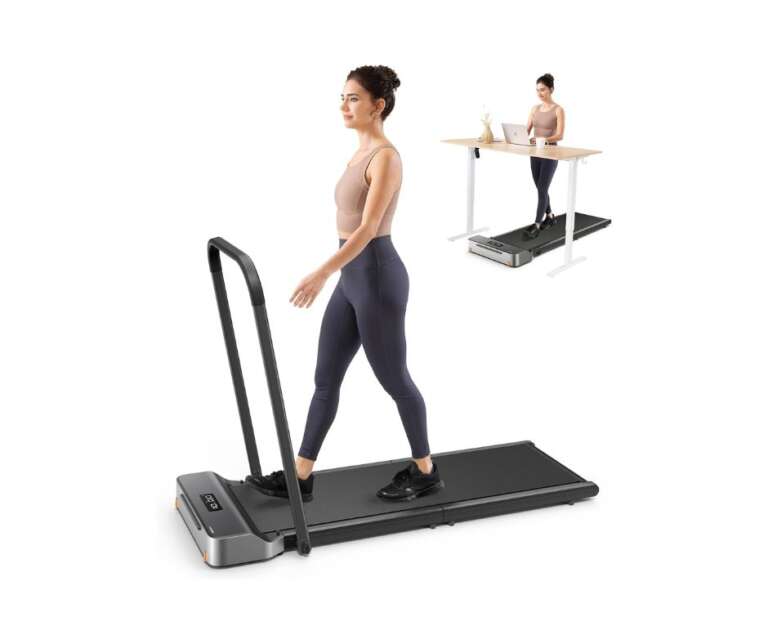
1. Walking Pad C2 | Best Overall Walking Pad Under Desk Treadmill
StrengthBuzz Score:
- Video Call Noise: 3.5/5
- Typing Stability: 4.5/5
- Storage: 5/5
- Session Length Reliability: 3.5/5
- Value: 4/5
- Overall: 4.1/5
Key Verified Specs
- Motor: Brushless, <65dB
- Weight: 28 lbs
- Weight Capacity: 300 lbs
- Speed: 0.5–3.7 MPH (capped at 1.9 MPH without app)
- Folded Height: ~5 inches (slides completely flat)
- Assembly: Zero
Why WFH Users Choose It
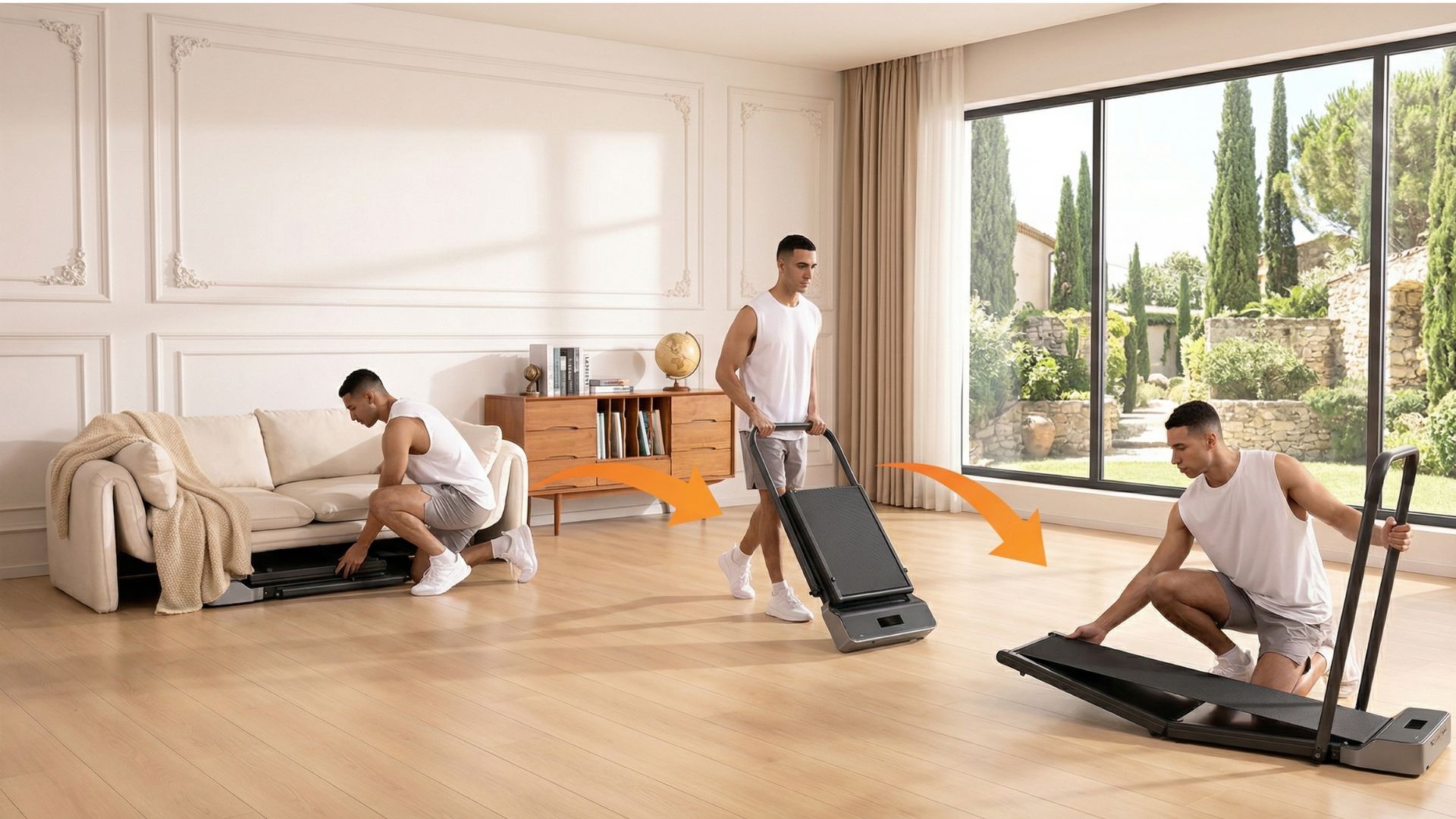
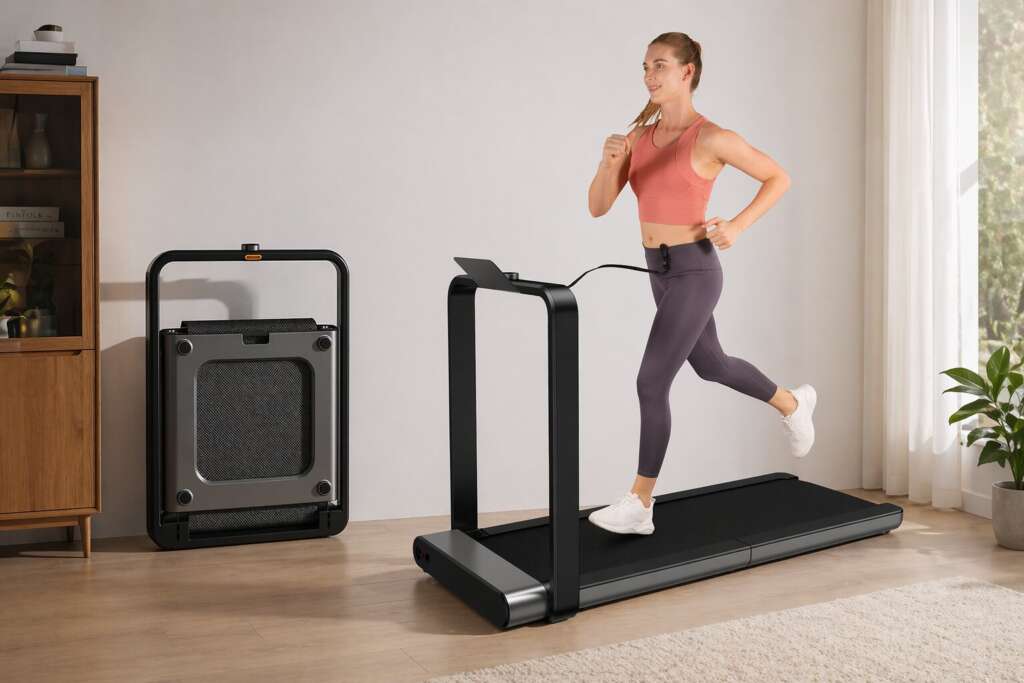
Walking Pad’s C2 has dominated remote work community recommendations on Reddit for one specific reason; the fold-flat design. It folds in half to approximately 5 inches high, sliding under a standard sit-stand desk, bed, or sofa without measuring twice. No other machine on this list stores as compactly.
The deck height when unfolded is only 4.92 inches meaning you barely need to raise your desk higher than when standing normally on the floor. For WFH users who switch between sitting, standing, and walking multiple times daily, this minimal deck height is a genuine practical advantage that competitors with thicker decks cannot match.
One long-term owner describes using it daily through winter months for over a year and a half with consistent performance. That kind of sustained daily use is exactly the proof point WFH buyers need and it explains why this machine consistently appears in apartment-friendly setups where compact storage is the primary constraint.
The App Speed Lock; What Buyers Discover After Purchase
This is the most important limitation to understand before buying, and most reviews bury it. The Walking Pad C2 features both automatic and manual modes, but expert testers and verified buyers consistently suggest sticking to manual mode and even then, many features were found confusing or didn’t work as expected without the app running.
More critically for WFH users: the machine caps at 1.9 MPH without the companion app connected. Verified buyers are divided on this some find the app seamless, others find it a frustrating daily dependency. If you want to walk above 2 MPH without reaching for your phone every session, the PACEROCKER or TRAILVIBER are better fits.
Long-Term Reliability; What the Data Shows
One verified buyer purchased a C2 in December 2025 and experienced belt shifting issues within the first session — the belt kept sliding to one side despite following all adjustment instructions. This is not the majority experience, but it appears consistently enough across Trustpilot and Amazon reviews to flag as a quality control pattern. If you experience this, the belt alignment adjustment process is straightforward and resolves it in most cases without a return.
Who Should Buy This:
WFH users who need fold-flat storage above all else, primarily walking at 1.5–2.5 MPH, and comfortable using the companion app.
Who Should Skip This:
Users wanting app-free operation above 2 MPH, anyone needing sessions longer than 60 continuous minutes, users above 300 lbs.
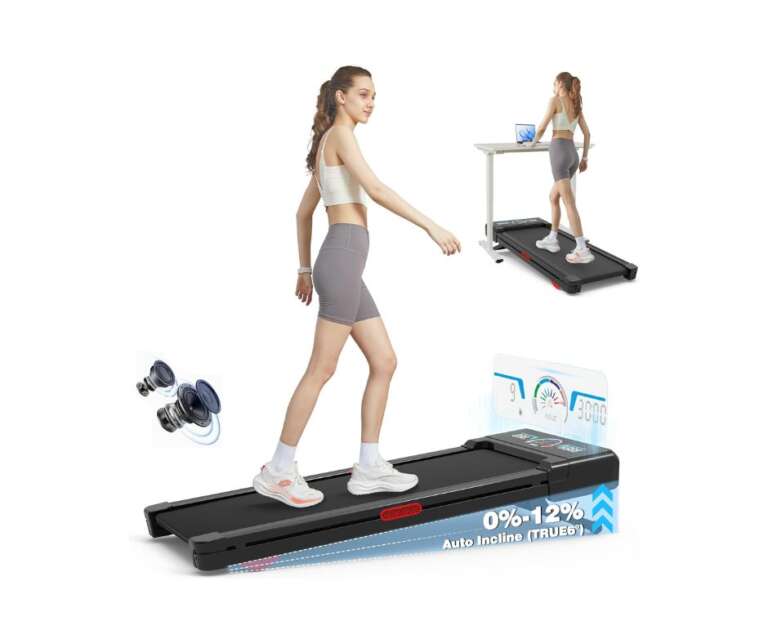
2. TRAILVIBER | Best for Heavy Users Who Want Incline
StrengthBuzz Score:
- Video Call Noise: 4.5/5
- Typing Stability: 4.5/5
- Storage: 3.5/5
- Session Length Reliability: 5/5
- Value: 4/5
- Overall: 4.3/5
Key Verified Specs
- Motor: 2.5HP Brushless, <45dB
- Weight: 44 lbs
- Weight Capacity: 450 lbs
- Speed: 0.5–4.0 MPH
- Incline: 9-level auto incline up to 12%
- Special Features: Triple cushioned deck, RGB LED display, Bluetooth speaker
- Assembly: Zero
Why It Stands Out
The TRAILVIBER is the only under desk treadmill on this list combining a genuine 450lb weight capacity with 12-level automatic incline. For heavier users who have struggled to find under desk machines that handle their weight comfortably across long daily sessions, this combination is the most capable option available at this price point.
For WFH users limited to walking speed by desk constraints, incline changes the calorie equation significantly. Walking at 2 MPH on a 12% incline burns meaningfully more calories than flat walking at the same speed which matters when you are accumulating steps during work hours rather than dedicated workout sessions. The performance holds up across extended daily use, avoiding the thermal issues that affect lighter-duty machines when operated close to their weight limits.
The triple-cushioned deck is meaningful for extended WFH sessions specifically. Verified buyers using it for 2–3 hour daily sessions consistently report less knee and ankle fatigue compared to machines with standard single-layer decks. If you plan to accumulate 10,000+ steps daily on this machine, deck cushioning matters more than almost any other specification.
The Honest Trade-offs
At 44 lbs it is the heaviest machine on this list. It does not fold completely flat, it folds to a compact upright profile that leans against a wall, requiring approximately 12–14 inches of floor space when stored. For users in tight studio setups, this storage profile is a genuine constraint.
The RGB LED display and Bluetooth speaker are features some WFH users appreciate for motivation. They add visual appeal but neither is essential for desk walking. If you prefer a simpler design without these additions, the PACEROCKER covers similar core specs with a cleaner aesthetic.
Who Should Buy This:
WFH users over 250 lbs, anyone wanting auto incline for calorie burning during desk sessions, users planning 3+ hour daily sessions.
Who Should Skip This:
Users requiring completely flat storage, anyone prioritizing lightweight portability.
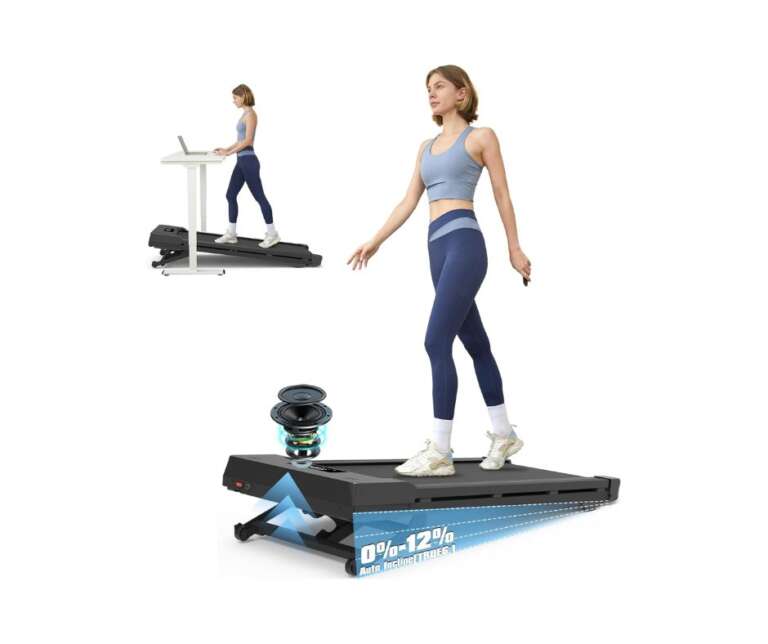
3. PACEROCKER | Quietest Walking Pad Under Desk Treadmill
StrengthBuzz Score:
- Video Call Noise: 5/5
- Typing Stability: 4.5/5
- Storage: 3.5/5
- Session Length Reliability: 5/5
- Value: 4/5
- Overall: 4.4/5
Key Verified Specs
- Motor: 2.5HP Brushless, <40dB
- Weight: 39 lbs
- Weight Capacity: 450 lbs
- Speed: 0.5–5.0 MPH
- Incline: 9-level auto incline up to 9%
- Programs: Hiking programs with auto speed and incline variation
- Assembly: Zero
The <40dB Difference for WFH Use
At <40dB, the PACEROCKER is the quietest motor on this list. For context, 40dB is roughly equivalent to a quiet library. At walking speeds of 1.5–2.5 MPH, this noise level is effectively inaudible to video call participants in the vast majority of verified buyer reports — making it the strongest choice for shared-wall apartments or open home office environments.
The hiking programs are a genuinely useful WFH feature. Instead of manually adjusting speed and incline during a session — which requires stopping work to look at the controls — the programs automatically vary both together, simulating an outdoor walk. For users who find flat monotonous walking mentally draining during long work sessions, this automatic variation maintains engagement without interrupting focus.
What Buyers Are Finding Out; A Hidden Issue
This is something we found in independent forum research that most review sites have not caught yet. Recent buyers report that the hiking programs which auto-adjust incline have been removed from newer production models — confirmed by buyers who contacted customer service directly. Meanwhile, older reviews still mention the feature, creating confusion about which version buyers will receive.
Additionally, the Bluetooth functionality is limited to playing music through the built-in speaker — it does not connect to fitness tracking apps despite the product description being carefully worded about Bluetooth capability. If app-based fitness tracking is important to you, the Yesoul W2 Pro is the better choice.
Who Should Buy This:
WFH users where noise is the absolute priority, anyone in a shared-wall or noise-sensitive environment, heavy users up to 450 lbs.
Who Should Skip This:
Users who specifically want app connectivity for fitness tracking, anyone who needs to verify hiking program availability on current stock before purchasing
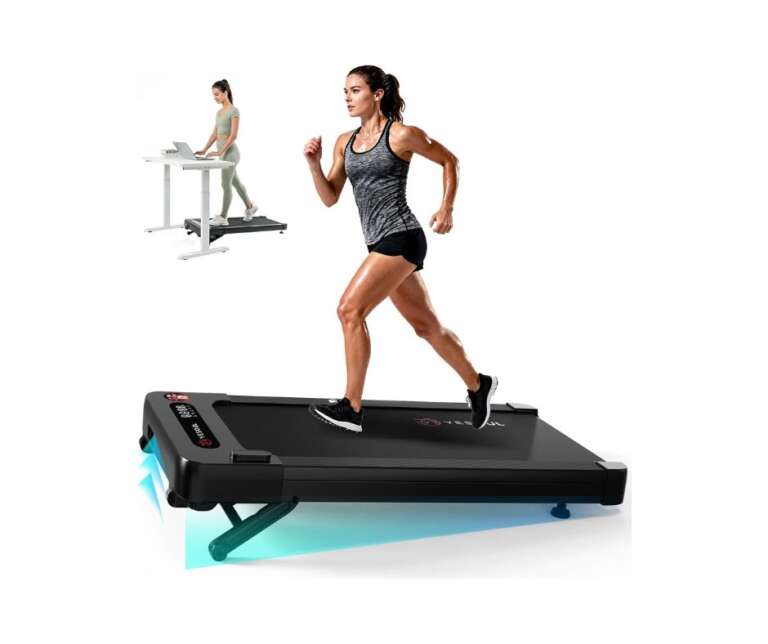
4. Yesoul W2 Pro | Best App-Connected Walking Pad Under Desk Treadmill
StrengthBuzz Score:
- Video Call Noise: 4/5
- Typing Stability: 4/5
- Storage: 4/5
- Session Length Reliability: 5/5
- Value: 4/5
- Overall: 4.2/5
Key Verified Specs
- Motor: 2.5HP Brushless, quiet operation
- Weight Capacity: 300 lbs
- Speed: 0.5–3.8 MPH
- Incline: 10% auto incline with remote control
- Special Features: 24-hour continuous operation rating, LED dynamic light strips
- App Compatibility: Yesoul Fitness, Peloton, Zwift, Kinomap, Apple Health, Google Fit
- Assembly: Minimal
The 24-Hour Continuous Operation; Why It Matters
This is the most distinctive specification on this list for WFH use. The Yesoul W2 Pro brushless motor is rated for 24-hour continuous operation without power loss — a claim no other machine on this list makes. For WFH users who have experienced thermal protection shutdowns mid-meeting, this specification provides real confidence for long daily sessions.
Verified buyers using it for 3–4 hour daily sessions report consistent motor performance throughout with no degradation; the kind of sustained reliability that separates machines designed for WFH use from those designed for occasional fitness sessions.
The remote-controlled incline adjustment is specifically useful at a desk. Instead of stopping to manually adjust a lever as required on machines like the Walking Pad C2, you adjust incline from the remote without interrupting your walking session or your work. The three-color LED indicator strips show your pace visually — white for walking, green for fast walk, red for running letting you monitor speed without glancing down at a display mid-meeting.
The app integration is genuine and broad. Unlike the Walking Pad’s app which primarily functions as a speed unlock mechanism, the Yesoul connects to Peloton, Zwift, Kinomap, Apple Health, and Google Fit, making it the most connected machine for WFH users who track fitness data seriously.
Honest Customer Service Pattern
Yesoul’s product quality receives generally positive reviews, but a pattern of customer service inconsistency appears on Trustpilot delayed shipping responses and difficulty reaching support after purchase in some cases. Purchasing through Amazon rather than directly from Yesoul provides better returns protection if issues arise.
Who Should Buy This:
Data-driven WFH users wanting genuine multi-app fitness tracking, anyone planning 3+ hour daily sessions requiring continuous motor reliability.
Who Should Skip This:
Users over 300 lbs, anyone purchasing direct from Yesoul wanting guaranteed support responsiveness buy through Amazon instead.
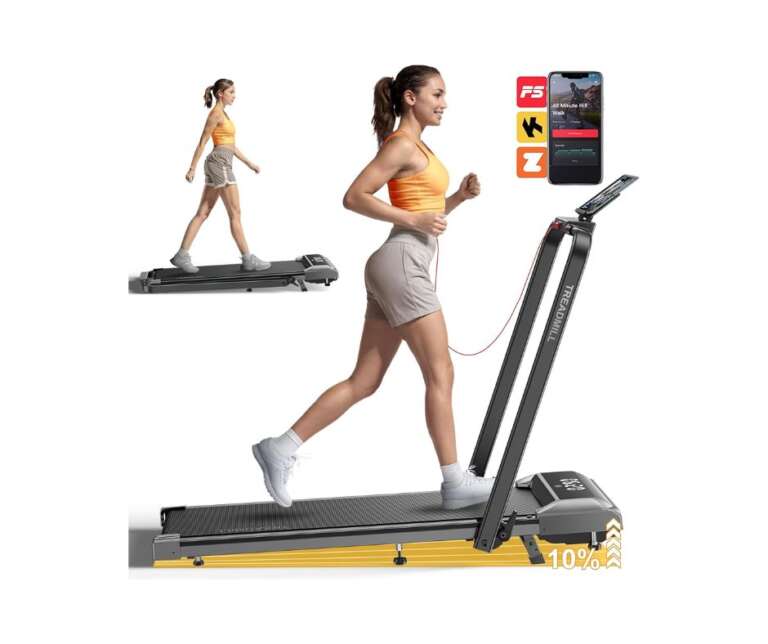
5. Acezoe | Budget Walking Pad Under Desk Treadmill (Read Before Buying)
StrengthBuzz Score:
- Video Call Noise: 3.5/5
- Typing Stability: 3.5/5
- Storage: 4/5
- Session Length Reliability: 3/5
- Value: 4/5
- Overall: 3.6/5
Key Verified Specs
- Motor: 2.5HP Brushless, <50dB
- Weight: 33 lbs
- Weight Capacity: 300 lbs
- Speed: 0.6–7.5 MPH
- Incline: 10% manual incline
- Special Features: 7-layer anti-slip belt, 6 silicone shock absorbers, app connectivity
- Assembly: Zero
Where It Delivers Value
For WFH users on a strict budget primarily walking under 2.5 MPH, the Acezoe delivers a respectable specification at a significantly lower price than the TRAILVIBER or PACEROCKER. One verified buyer, a 6’2″, 215lb user, reports the machine fits their stride well, runs quietly enough for use while family sleeps nearby, and works effectively as a standing desk companion throughout the workday.
The 7-layer anti-slip belt and 6 silicone shock absorbers provide better deck cushioning than comparably priced competitors. App connectivity functions without requiring the phone to be connected for basic speed access a meaningful advantage over the Walking Pad’s speed-lock dependency.
The Belt Durability Issue; Non-Negotiable Disclosure
We have a responsibility to flag this clearly before recommending this machine at any price point.
A verified buyer reports that after just one hour of use the running belt began ripping on the right side, sliding off to one side even after centering and tightening adjustments, with no response from support after emailing. A separate pattern shows belt misalignment and premature wear appearing more frequently in Acezoe reviews than in equivalent products at the same price point. Unlike the belt tension issues that are typically fixable through standard adjustment, the Acezoe’s pattern suggests a manufacturing quality control inconsistency across production batches.
Our assessment: reasonable budget entry point for light WFH use under 200 lbs at speeds under 2.5 MPH in sessions under 60 minutes. For heavier users or intensive daily sessions, the belt reliability risk makes the TRAILVIBER or PACEROCKER worth the additional investment.
Who Should Buy This:
Light WFH walkers under 200 lbs on a strict budget with light daily use requirements.
Who Should Skip This:
Anyone over 200 lbs, users planning intensive daily sessions, anyone who cannot absorb the risk of early belt failure.
Must Read:
WalkingPad X21 Review (2026): Who Should Actually Buy This Double-Fold Treadmill?
Walking Pad Under Desk Treadmill Buying Guide: What Nobody Tells You
The Standing Desk Height Problem
The most common setup mistake WFH buyers make is underestimating how much their desk height needs to change. Standard sitting desk height is 28–30 inches. Walking at 2 MPH requires your desk at approximately 44–48 inches to maintain a comfortable elbow angle for typing. If your desk does not adjust to this height, you will experience shoulder and neck strain within 20 minutes of use regardless of which machine you buy.
Measure your desk maximum height before purchasing. If your desk maxes out at 40 inches, a walking pad is not practical without upgrading the desk simultaneously.
Typing Speed – What the Data Actually Shows
Most people overestimate how fast they will type while walking. The honest data from verified WFH buyers: at 1.0–1.5 MPH, typing drops approximately 5–10% after a 2–3 day adjustment period. At 2.0–2.5 MPH, typing speed drops 15–25%, manageable for email, harder for intensive writing or coding. Above 2.5 MPH, accuracy drops significantly for most users. Plan your walking sessions around task type; use walking time for passive listening and easy emails, slow down for focused writing.
The Rubber Mat Most Buyers Skip
Every machine on this list should be paired with a 6mm rubber equipment mat. For WFH use specifically this serves three functions: it prevents the machine from gradually creeping forward on smooth flooring during extended sessions, reduces floor vibration transmission through the building, and protects hardwood or laminate flooring from pressure marks over time. Budget approximately $25–35 for a mat alongside whichever machine you choose.
Session Length Management
For machines rated under 3.0HP, which covers everything on this list, verified WFH buyers who report the longest machine lifespans follow a consistent pattern: 60 minutes walking, 15 minutes rest, repeat. Continuous sessions beyond 90 minutes without breaks stress entry-level motors and accelerate thermal wear. This is not a manufacturer recommendation, it is a pattern from long-term owner reports in WFH communities, and it applies regardless of the advertised weight capacity of the machine.
Common Questions About Walking Pads in Apartments
What is the best walking pad under desk treadmill for working from home?
Based on verified WFH buyer data, the PACEROCKER ranks highest for combined noise performance, session endurance, and weight capacity. The Walking Pad C2 is the best choice for users prioritizing fold-flat storage in compact spaces. For users over 300 lbs, the TRAILVIBER or PACEROCKER are the only appropriate options on this list.
Can you actually type while using an under desk treadmill?
Yes, at speeds between 1.5–2.5 MPH. Verified WFH buyers consistently report productive typing after a 3–5 day adjustment period. Above 2.5 MPH, sustained accurate typing becomes difficult for most people.
How noisy is a walking pad under desk treadmill on a video call?
The PACEROCKER at <40dB is effectively inaudible to call participants at walking speeds in most verified buyer reports. The WalkingPad C2 at <65dB is occasionally audible at higher speeds. The Acezoe is the most likely to be noticed by video call participants.
How long can you run an under desk treadmill continuously?
The Yesoul W2 Pro is rated for 24-hour continuous operation. The TRAILVIBER and PACEROCKER handle 3–4 hour sessions reliably. The WalkingPad C2 has a documented pattern of thermal shutdowns after 45–60 minutes. Build rest periods into long WFH sessions regardless of machine.
Do I need a special desk for a walking pad under desk treadmill?
You need a desk that adjusts to at least 44–48 inches high — approximately 3–4 inches higher than standard seated desk height. A fixed desk at standard height will not work comfortably for sustained walking.
Final Verdic: Which One Should You Buy?
Noise is your priority: PACEROCKER, quietest motor on this list at <40dB, 450lb capacity. Verify hiking programs are available on current stock before purchasing.
Flat storage is non-negotiable: Walking Pad C2, nothing stores as compactly. Accept the app speed dependency as part of the package.
Heavy users over 300 lbs: TRAILVIBER, 450lb capacity with 12% auto incline and triple-cushioned deck built for sustained heavy daily use.
Long sessions, data tracking: Yesoul W2 Pro, 24-hour continuous operation and genuine multi-app integration. Purchase through Amazon for returns protection.
Tight budget, light use only: Acezoe, enter at this price point only if you are under 200 lbs with light daily use requirements and understand the belt reliability risk documented above.
Pingback: Walking Pad vs Treadmill: Which One Is Right for You?
Pingback: WalkingPad X21 Review (2026): Is It Worth $900?